Threads
For everyone. Open a thread, reply, and get email for thread replies.
Last updated About 2 months ago
For everyone.
A thread keeps a side conversation attached to one message, so the main channel stays readable.
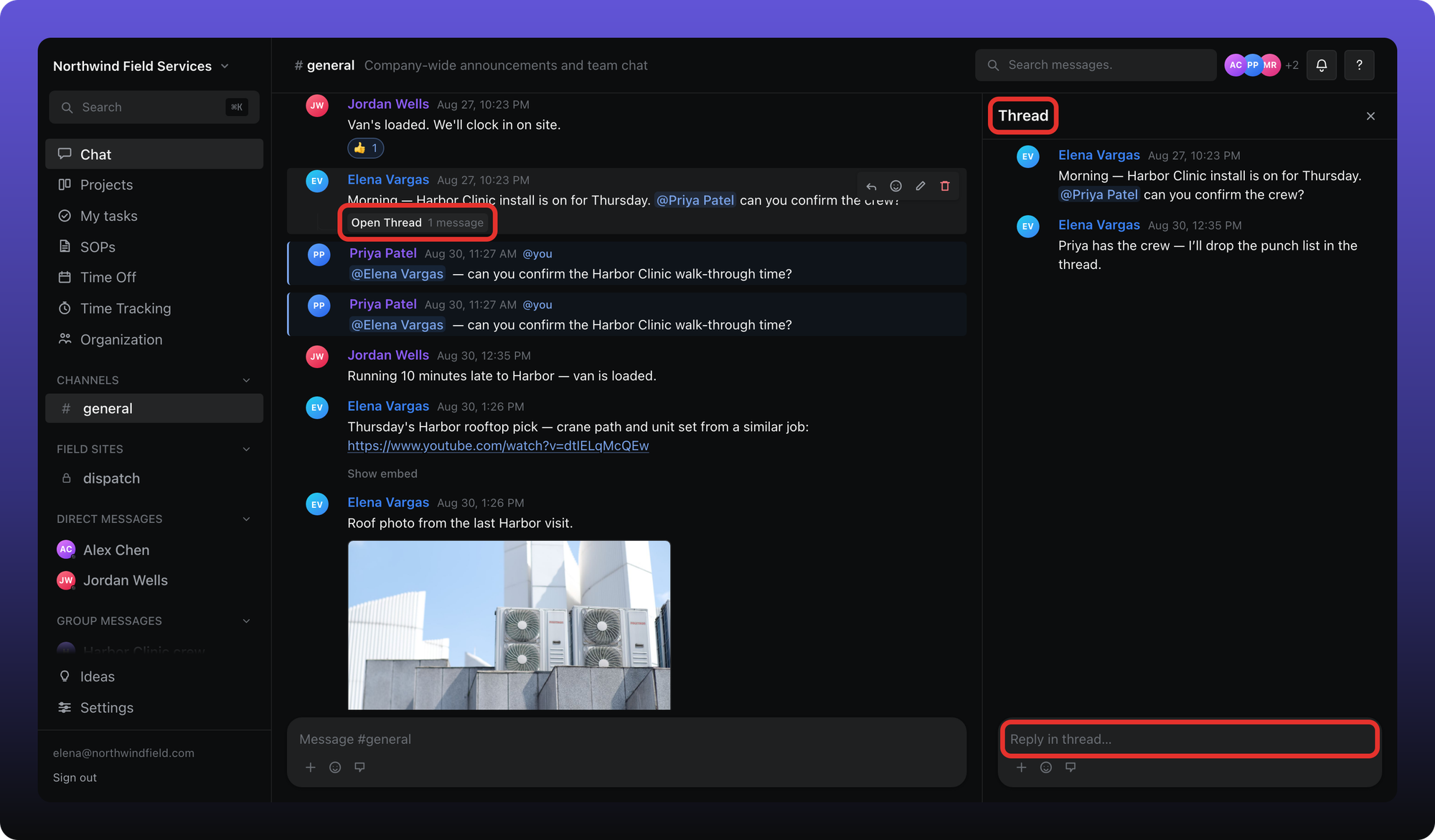
- Open Thread — appears under a message that already has replies. It also says how many messages are in the thread.
- The Thread panel. The original message is at the top, then the replies.
- Reply in thread… — type here and press Enter.
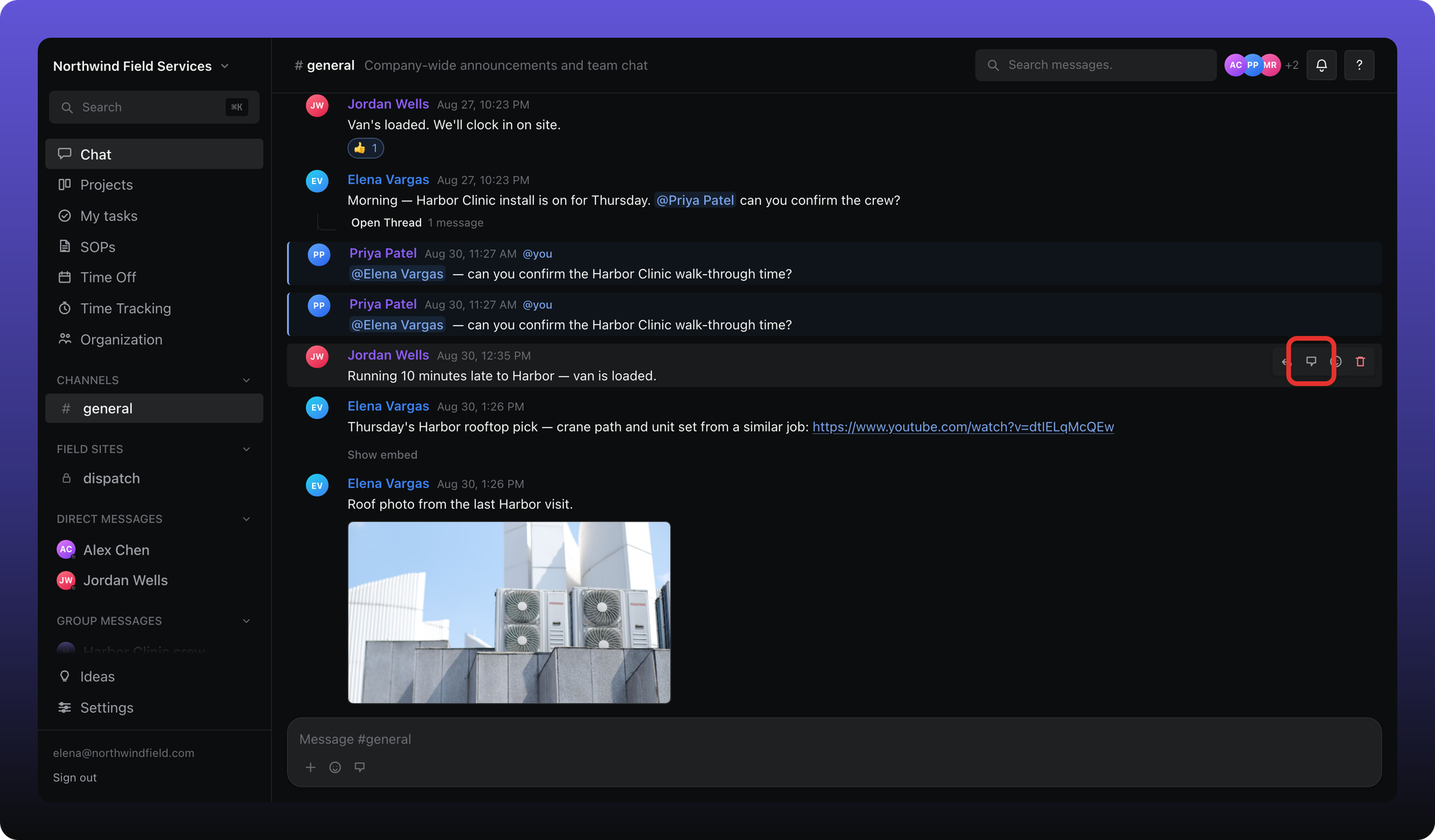
To start a thread on a message that does not have one yet, hover it and click Reply in thread.
Email for thread replies
Unlike @mentions, a reply in a thread can send email. Mentions and DMs stay in-app only.
Related
Mentions and the hover toolbar are covered in Send messages, mentions, and files.
Was this helpful?
Still need help? Ask the team