Folders
For everyone. Organize the library; access can inherit from a folder.
Last updated About 2 months ago
For everyone.
Folders group SOPs in the library. A folder can set default access rules that SOPs inside it inherit.
Browse folders
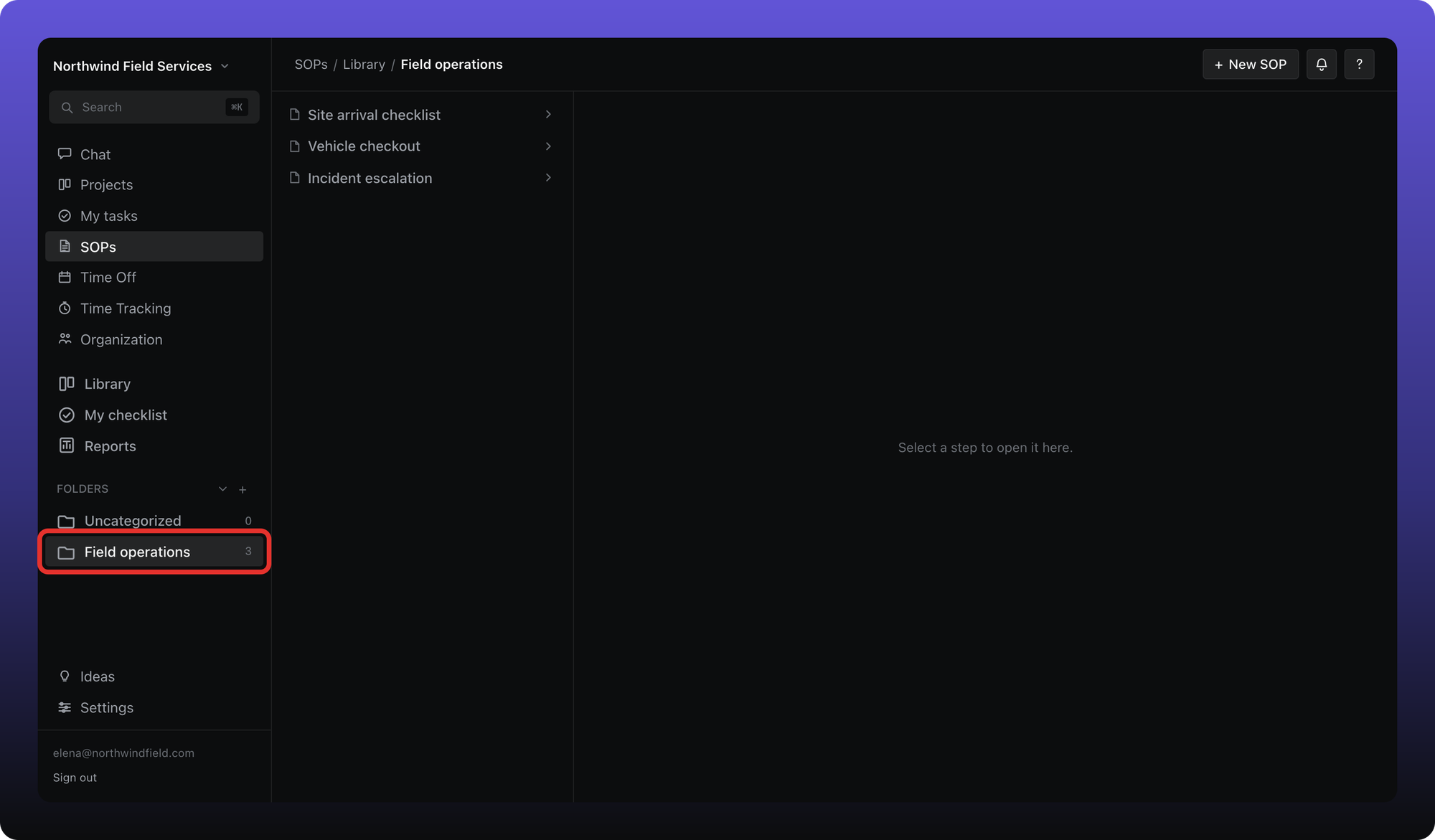
On Library, the folder table lists every folder with its access level, SOP count, and last modified date. Click a folder name to open it, or pick a folder under Folders in the sidebar.
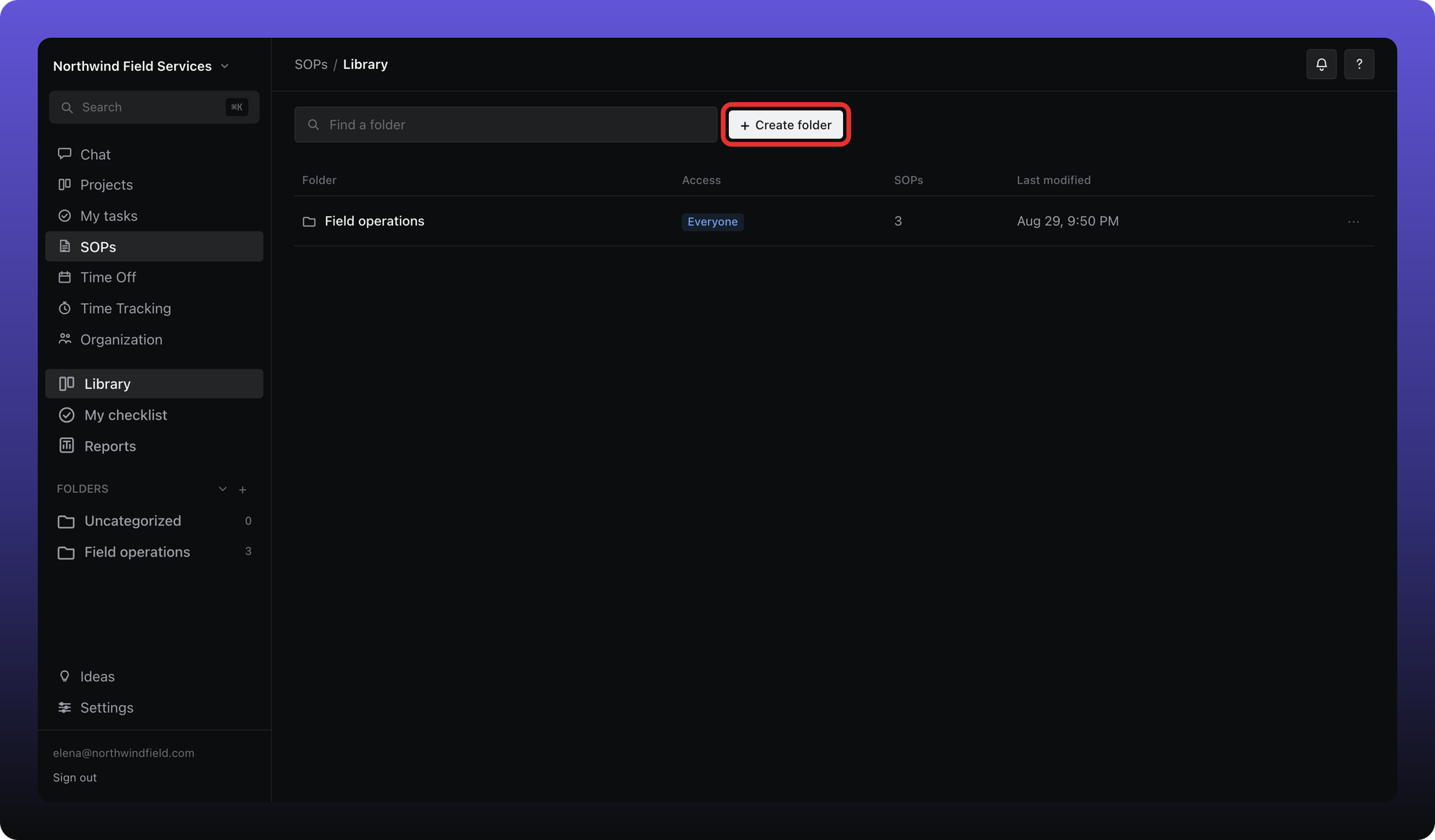
Create a folder
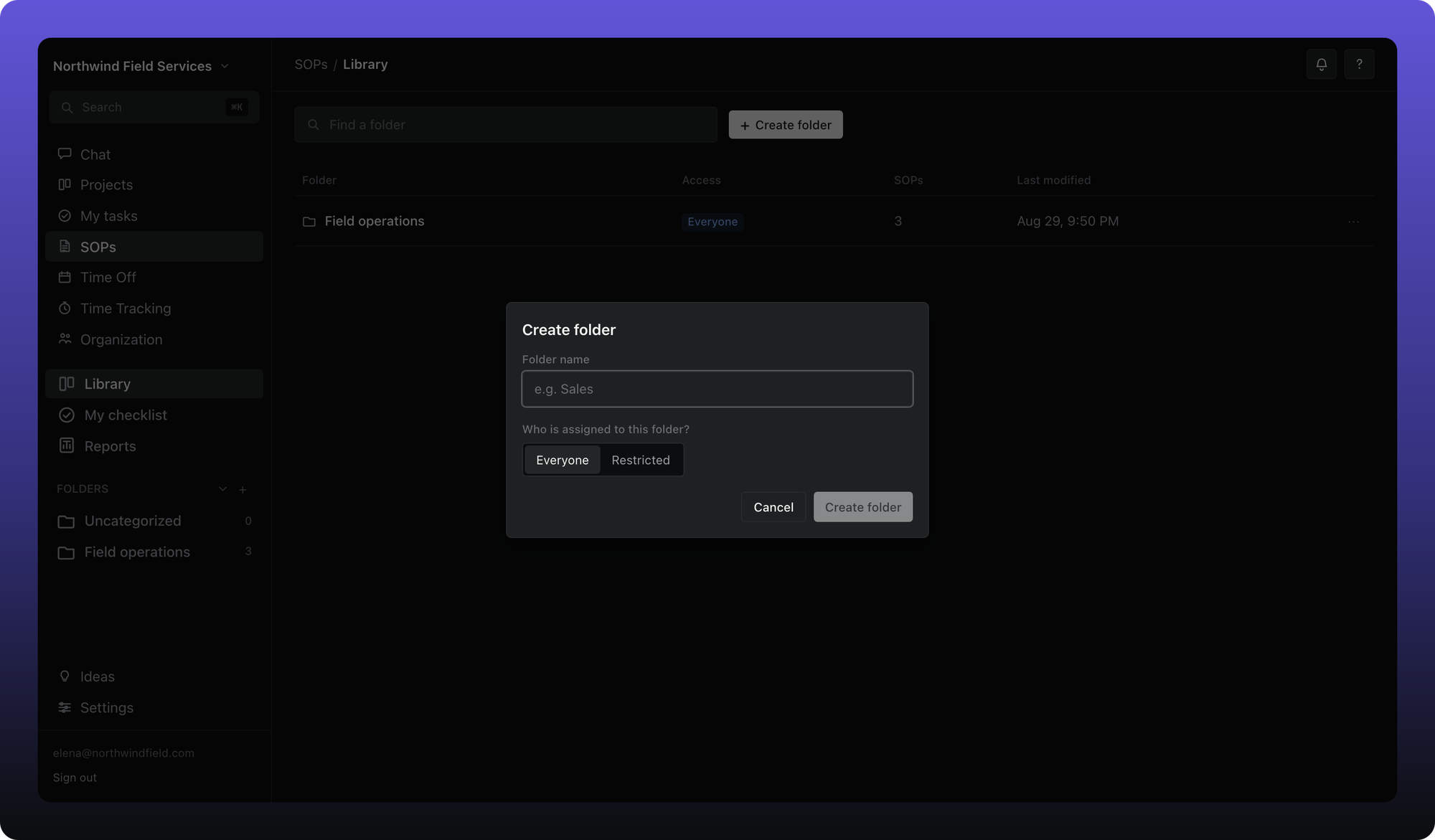
Click Create folder on Library, or the + next to Folders in the sidebar.
Enter a name.
Choose Everyone or Restricted and, if restricted, pick org roles and members who can open SOPs in this folder.
Click Create folder.
Inside a folder
The left column lists SOPs in the folder. Click one to read or edit it in the main pane. SOPs can inherit the folder's access or override it with custom permissions.
Was this helpful?
Still need help? Ask the team