Delete the organization
For workspace admins. Schedule deletion with a 30-day undo window.
Last updated About 2 months ago
For workspace admins.
Deleting removes all data for this organization from Aiome's servers after a waiting period. Cancelling a paid plan does not delete data — this is a separate action in the danger zone.
Schedule deletion
- Click Settings → Org Settings.
- Scroll to Danger zone and click Delete organization.
- Type the organization name exactly, then confirm with a verification code from your email.
- Click Schedule deletion.
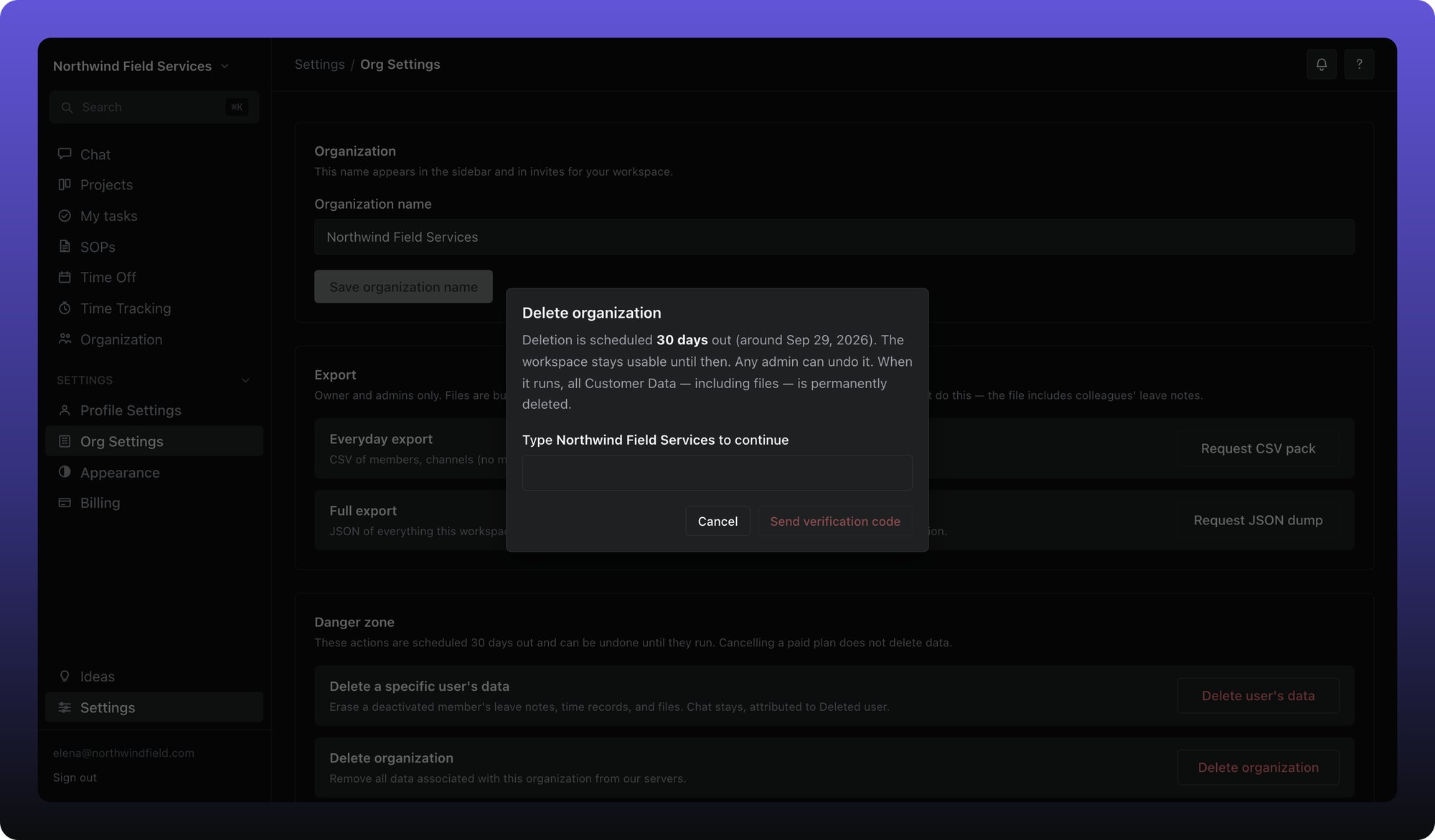
Deletion is scheduled 30 days out. The workspace stays usable until then. Any admin can undo it from the banner at the top of the workspace before the date passes. When deletion runs, all customer data — including files — is permanently removed.
See Privacy for legal retention language. This article describes the in-app flow only.
Was this helpful?
Still need help? Ask the team