Add and edit tasks
For everyone. Edit tasks inline or in the detail sheet.
Last updated About 2 months ago
For everyone.
Tasks can be edited in the list or in the detail panel. Click a row to focus it, edit fields inline, or open the full detail sheet with the chevron on the right.
Inline in the list
Click a cell to change the title, status, assignee, due date, collaborators, or labels without leaving the list.

Use New task or the Add task… row at the bottom to create one in place.
Task detail sheet
Click the chevron (Open details) on a row to open the side panel. There you can set project, assignee, due date, status, collaborators, description, subtasks, labels, and comments.
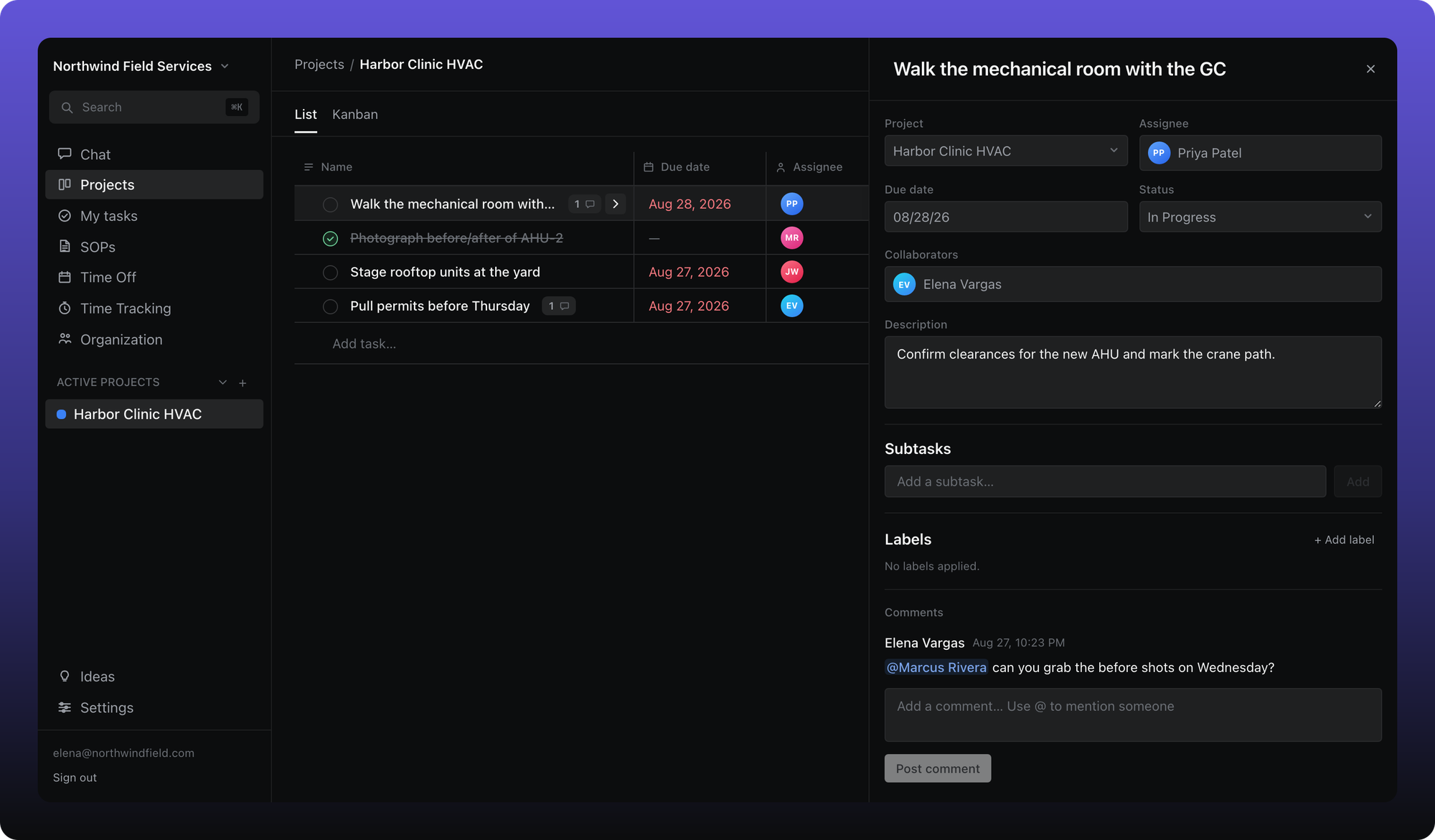
Drag the left edge of the panel to resize it. Your width is remembered on this device.
What Aiome does not have yet
Tasks do not support recurring schedules, dependencies, templates, watchers, custom fields, or file attachments. If you need to discuss a task, use comments.
Was this helpful?
Still need help? Ask the team