Create a project
For everyone. Create, archive, and restore projects — including Free plan limits.
Last updated About 2 months ago
For everyone.
Any member can create a project. Use New project (+ next to Active projects in the sidebar) or Create project on the browse screen.
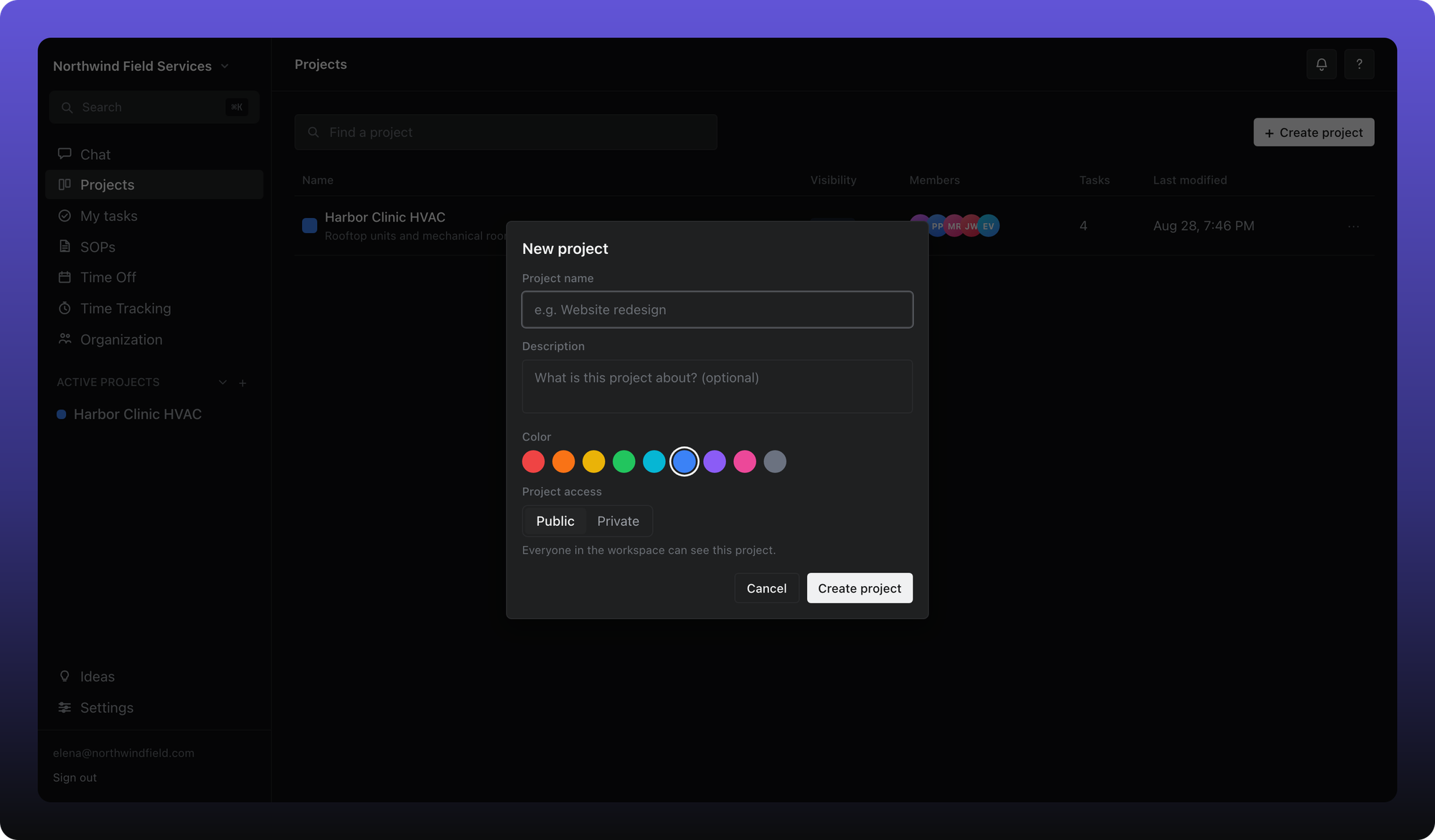
Give the project a name. Description, color, and who can access it are optional — privacy is covered in Share a project and privacy.
Archive and restore
Projects are never deleted. Right-click a project in the sidebar and choose Archive or Restore.
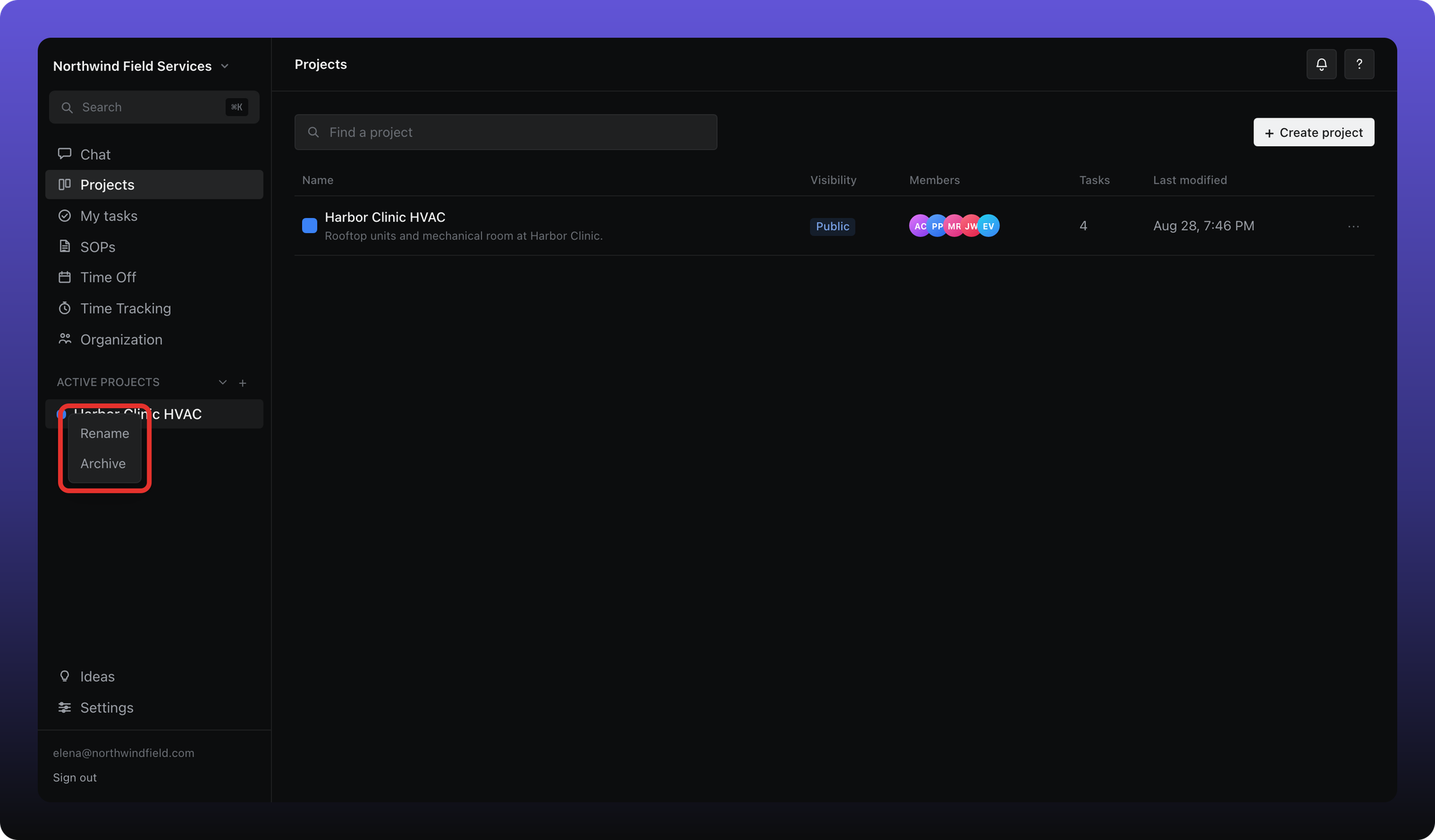
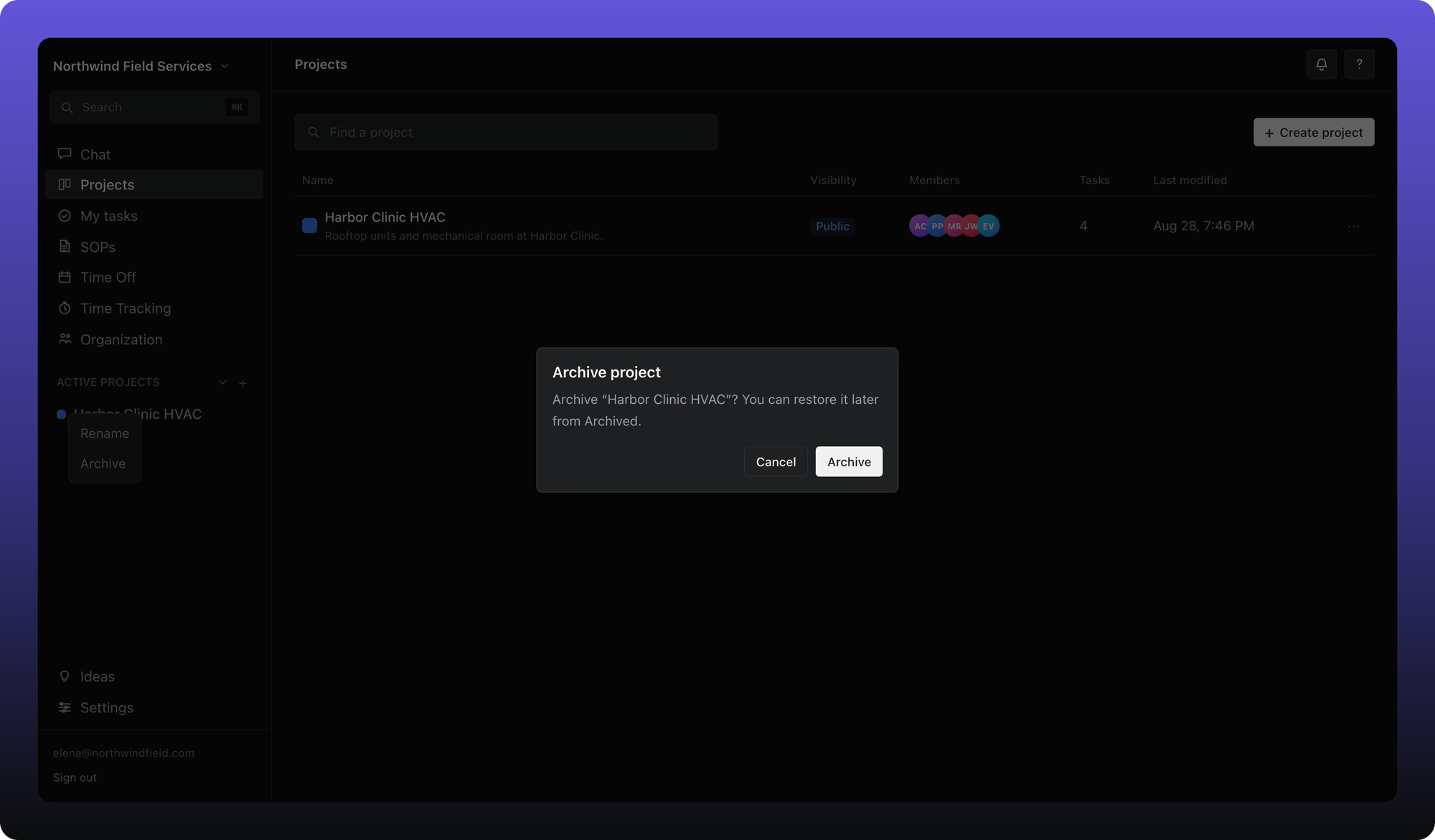
Archived projects move to the Archived section. Tasks stay put — nothing is removed.
Free plan: one active project
Free workspaces may have 1 active project. See What’s on Free vs Business in Getting started for the full comparison.
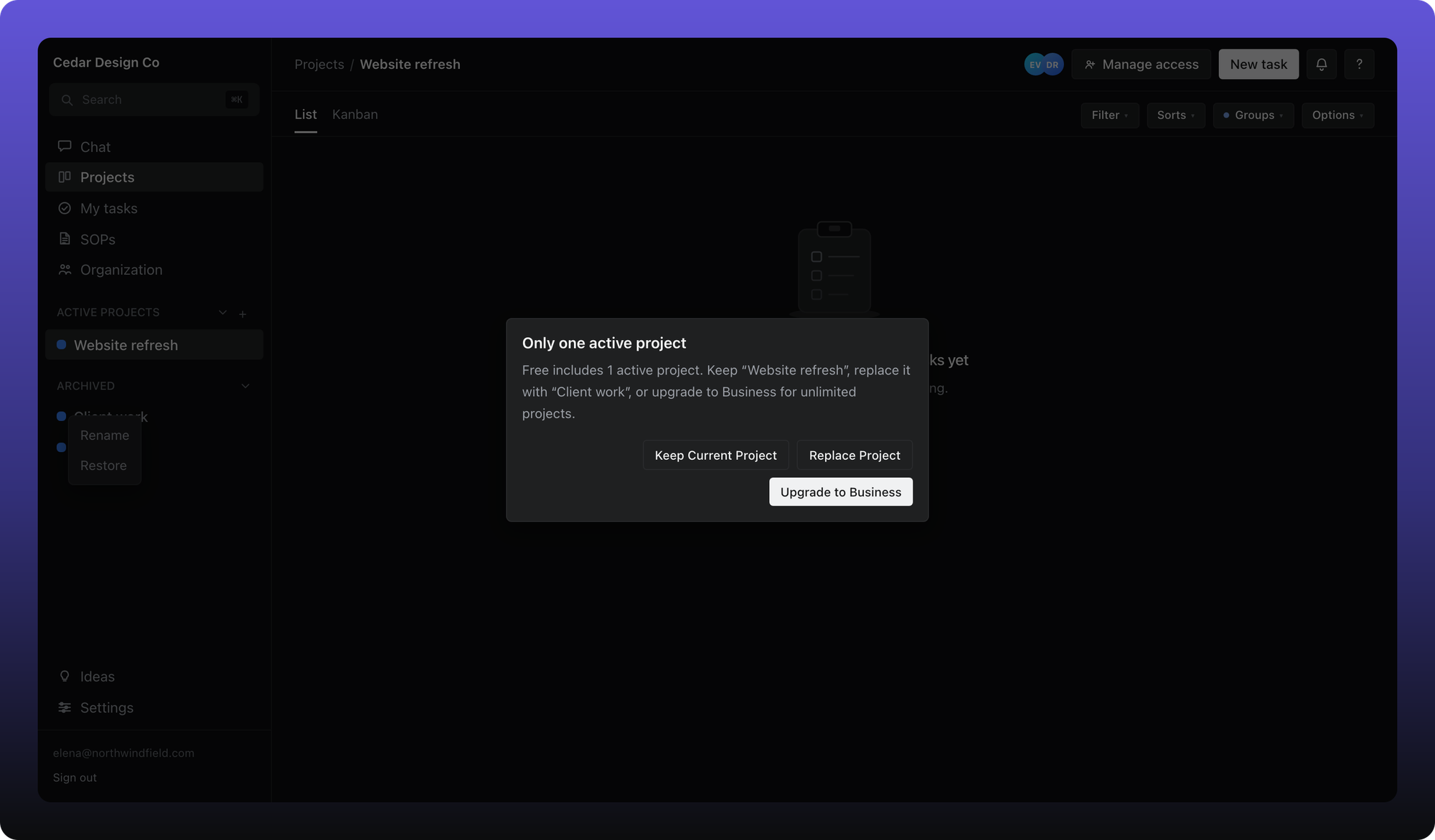
When you already have one active project, creating another shows an upgrade prompt instead of a second project.
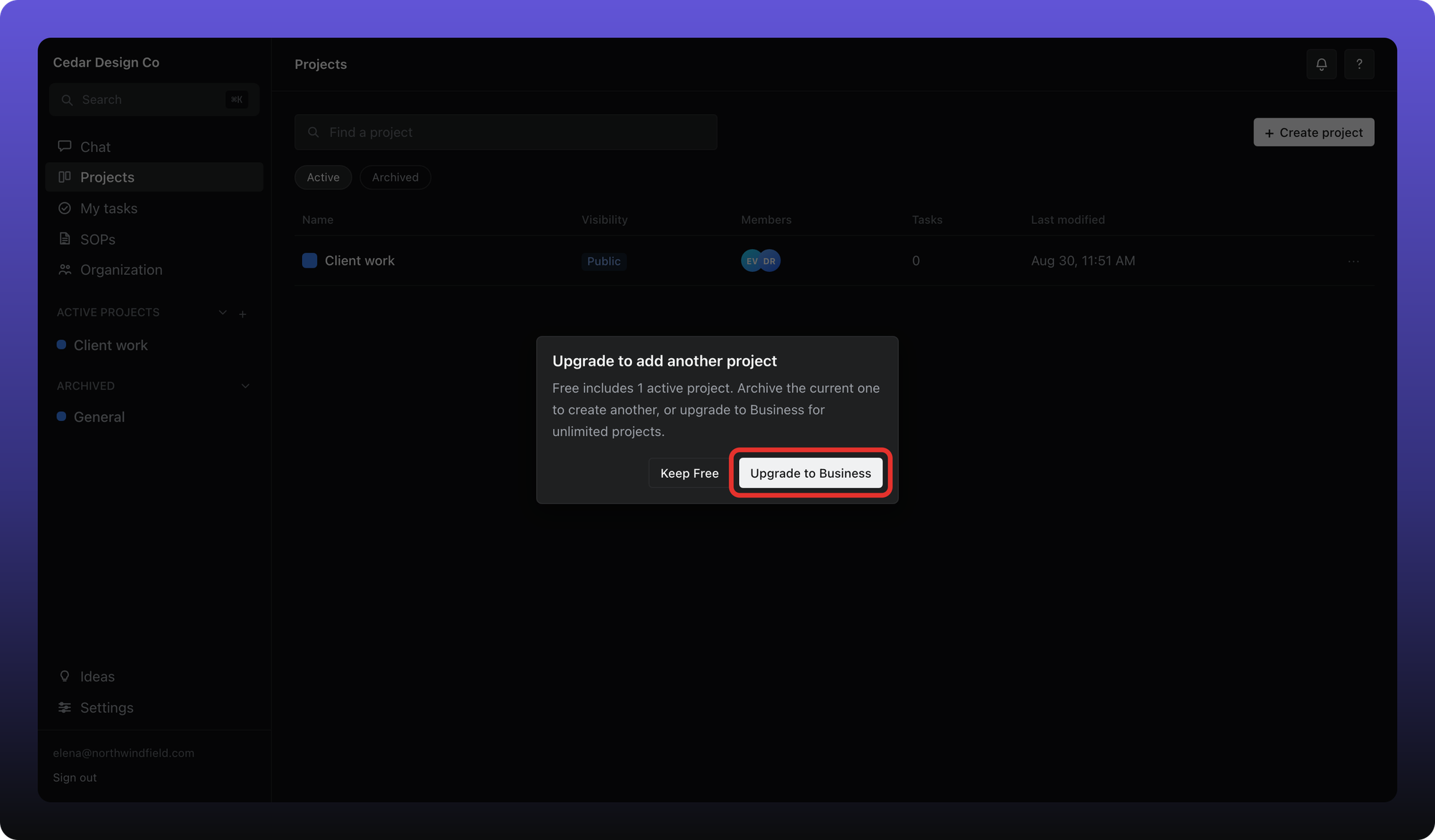
Archive the current project first and you can create a different one. If you restore an archived project while already at the limit, Aiome asks which active project to archive in its place — nothing is deleted.
Was this helpful?
Still need help? Ask the team