Pay periods and settings
For admins. Weekly or biweekly periods, week start, and approval rules.
Last updated About 2 months ago
For workspace admins.
Business plan. Time tracking is available on the paid Business plan only. Free workspaces do not show Time Tracking in the sidebar.
Admins configure how pay periods work and whether submissions need review.
Open settings
- Click Time Tracking, then Settings.
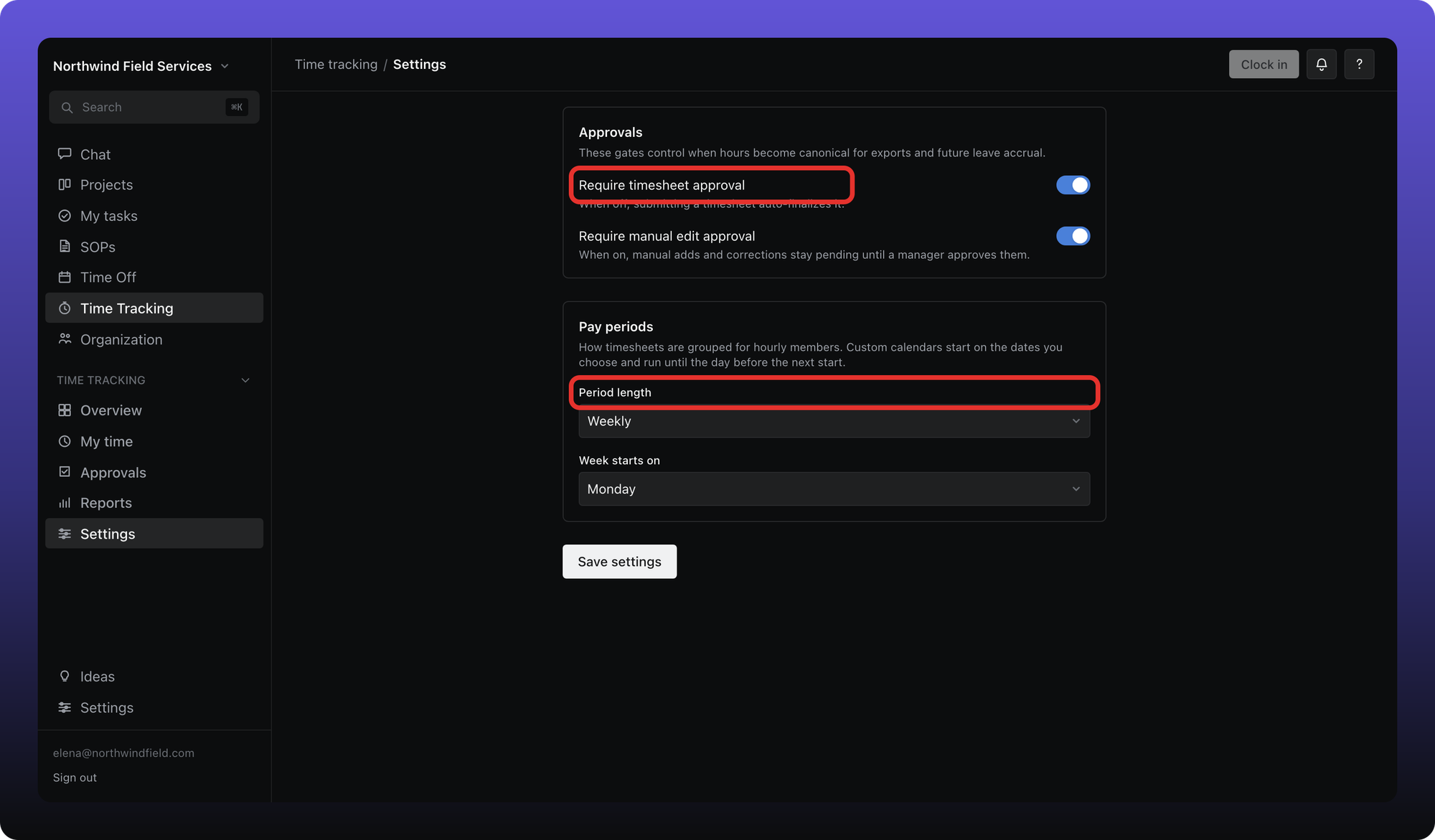
Pay period
- Period length — Weekly, Biweekly, or Custom (specific days of the month or nth weekday of the month).
- Week starts on — for weekly and biweekly periods.
Members see the current period on My time and submit one timesheet per period.
Approvals
- Require timesheet approval — hourly members click Submit timesheet instead of auto-finalizing. On by default.
- Require manual edit approval — hand-entered or corrected entries need reviewer sign-off. On by default.
Turn either off if your org does not need that review step. When both are off, Approvals hides for everyone.
Was this helpful?
Still need help? Ask the team