Private channels
For everyone. Only granted people see a private channel — not owners or admins unless they are granted.
Last updated About 2 months ago
For everyone.
A private channel is only visible to people who have been granted access. Being an owner, admin, or manager does not get you in. If you are not on the list, the channel is not in your sidebar and you cannot open it.
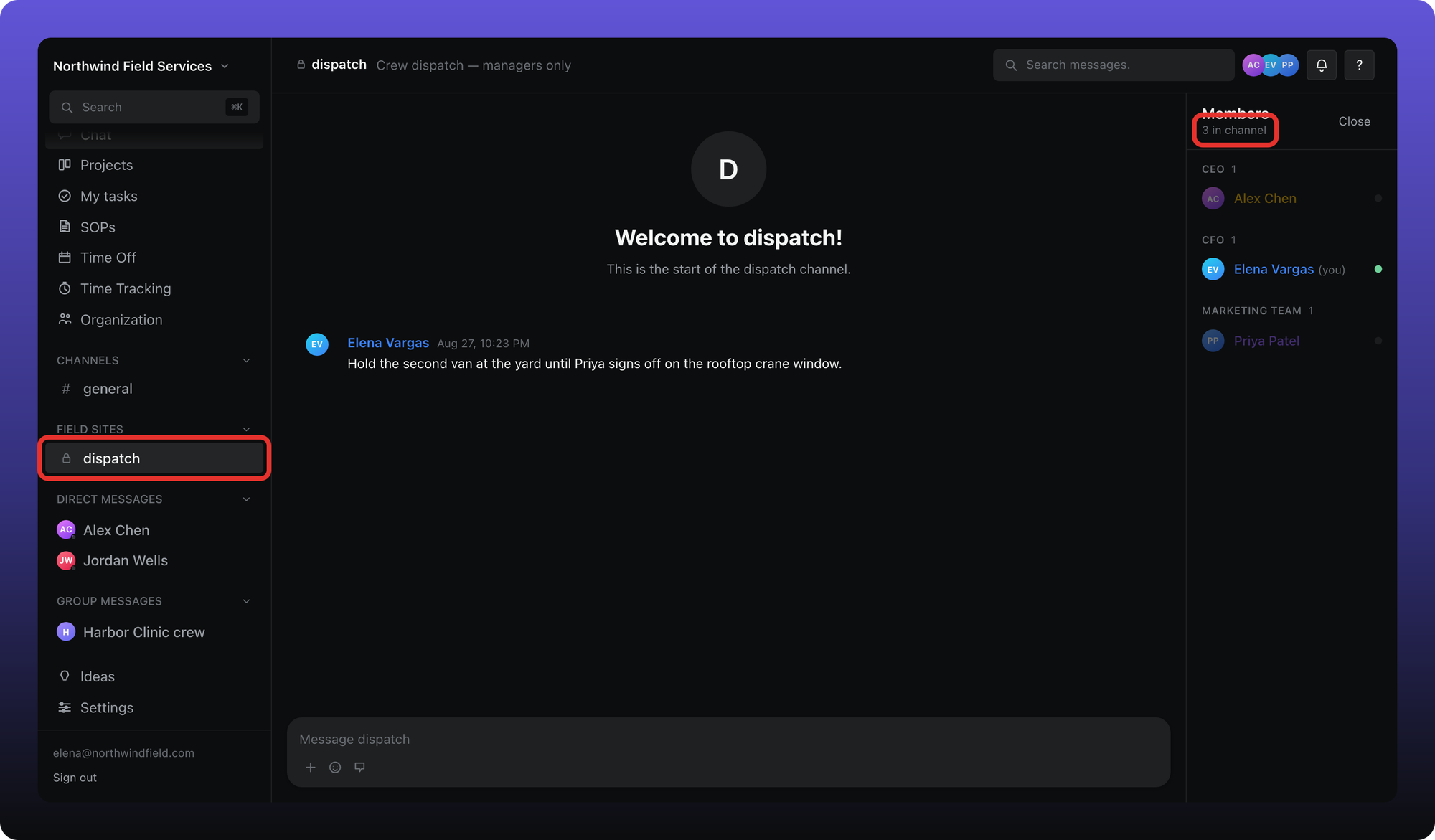
- The lock next to the channel name. Public channels show a # instead.
- Members — here, 3 in channel. On a public channel this count is everyone in the workspace.
Managers and admins grant access when they create the channel or later from the channel menu — Manage permissions… on a private channel, or Make private… on a public one. That menu is in Manage a channel.
Related
Creating a private channel is in Create and organize channels. Changing who is in one is in Manage a channel.
Was this helpful?
Still need help? Ask the team