Restrict who can see an SOP
For managers and admins. Limit who can open and complete a SOP.
Last updated About 2 months ago
Managers and admins.
A restricted SOP is visible only to the people and org roles you grant, plus the SOP owner and workspace admins. Managers without a grant cannot see it — app role alone does not bypass restriction.
How restriction works
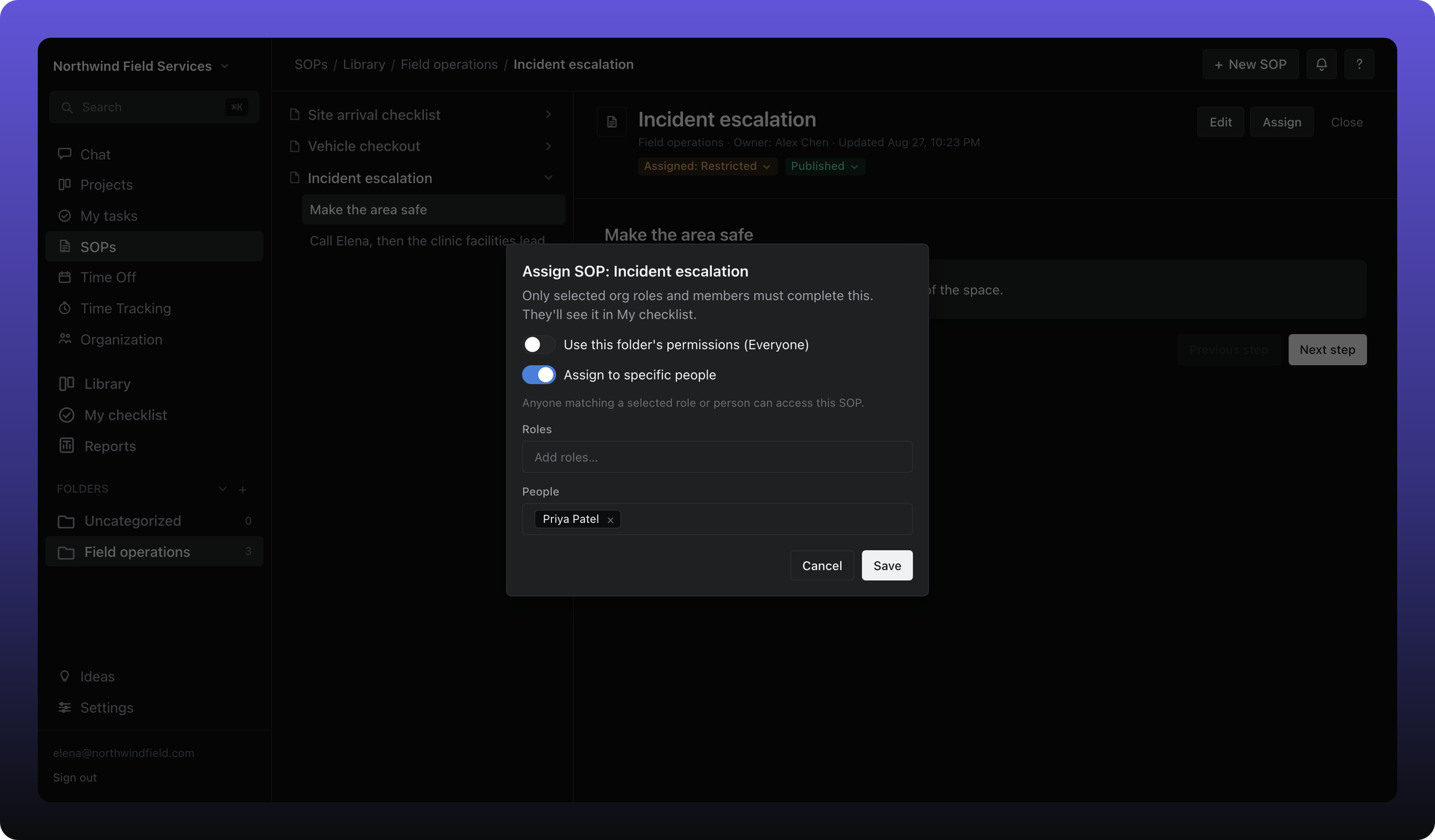
On a SOP, click Assign and turn on Assign to specific people. Pick org roles and/or members. The header pill changes to Assigned: Restricted.

What others see
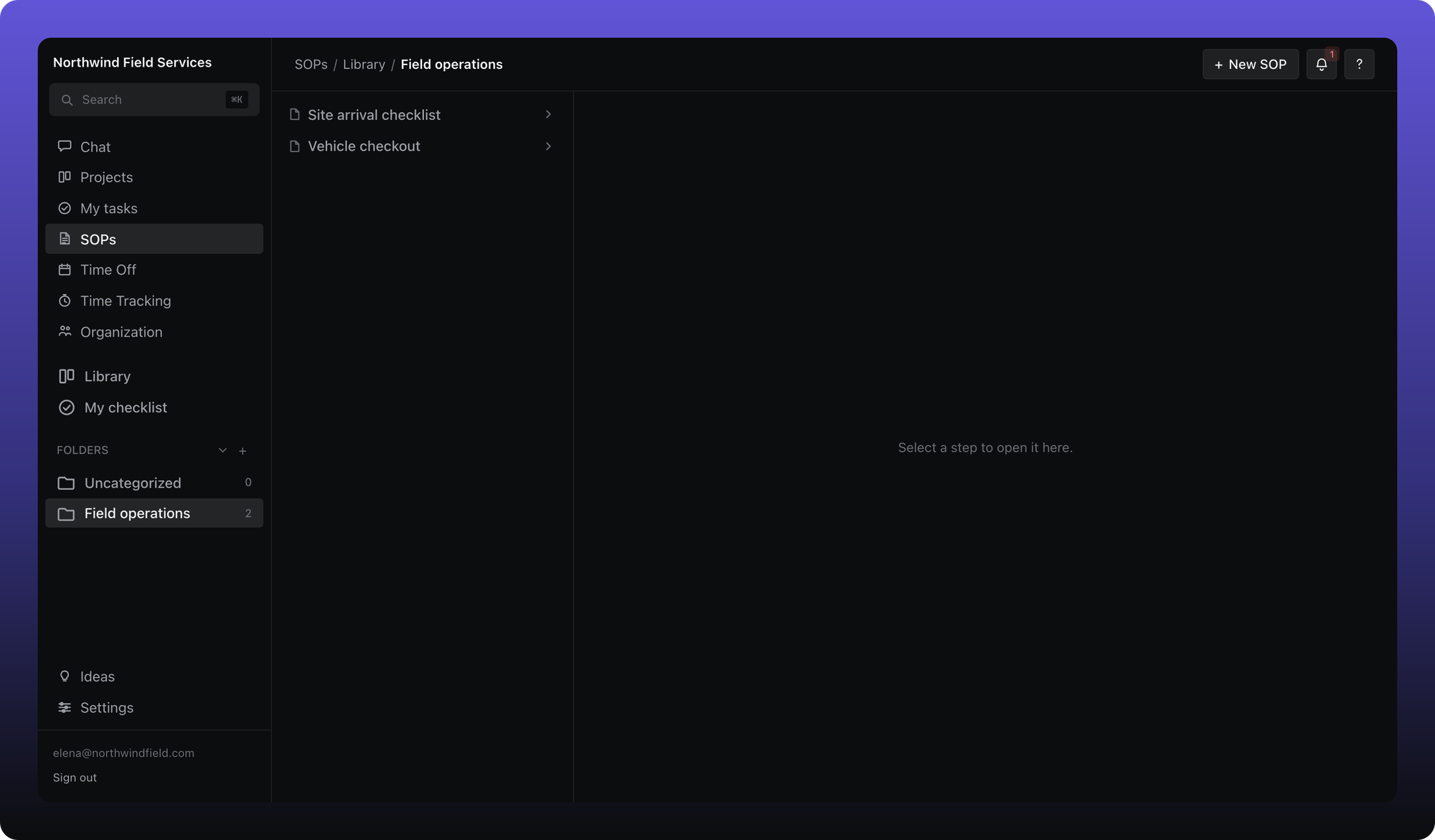
Members who are not granted access do not see the SOP in the library or on their checklist. Here, a member opens the same folder and sees only the SOPs they can access:
Folders can also be restricted at creation time. SOPs inside inherit folder access unless they are customized.
Was this helpful?
Still need help? Ask the team