See who's out and your balance
For everyone on the Business plan. Team availability, balances, and holidays on the Overview.
Last updated About 2 months ago
Business plan only. Free workspaces do not show Time Off in the sidebar.
Everyone · Business plan
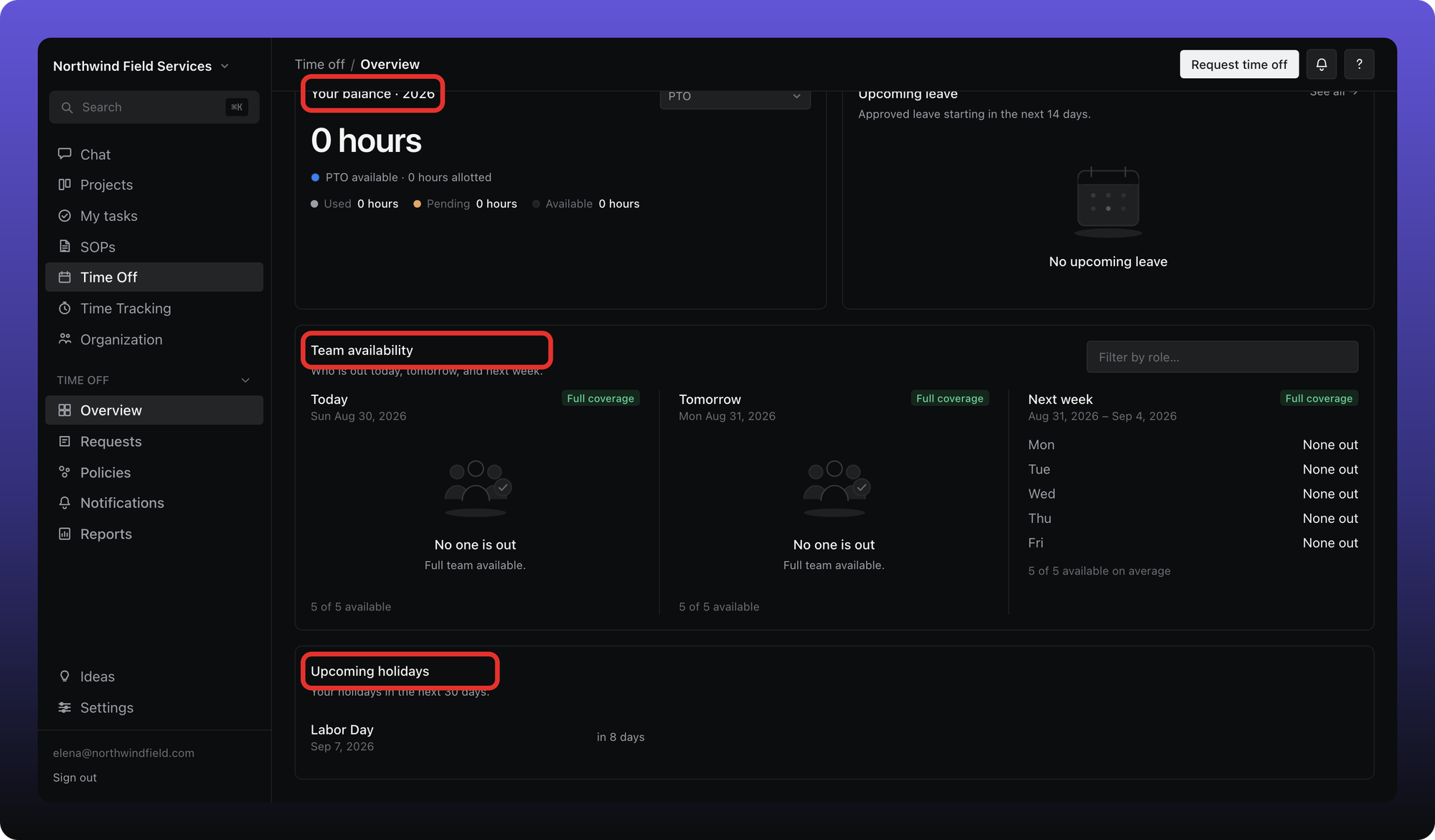
Open Time Off → Overview to see your balance and who is away.
Your balance
The balance card shows available time for each leave type in the current policy year — allotted, used, pending, and what is left. Numbers follow the policy (hours or days).
Who is out
Team availability lists people on approved leave today, tomorrow, and next week. Pending requests do not appear here.
Everyone in the workspace can see who is out on the shared calendar. Leave type and request notes are hidden on that org-wide view — approvers and admins see details on the request itself.
Holidays
Upcoming holidays shows company days off assigned to you (company-wide or limited to your role or profile).
Was this helpful?
Still need help? Ask the team