Complete an assigned SOP
For everyone. Open My checklist, read steps, and mark them complete.
Last updated About 2 months ago
For everyone.
When a published SOP is assigned to you, it appears on My checklist. Open it, work through the steps, and mark each one complete.
Find your assignments
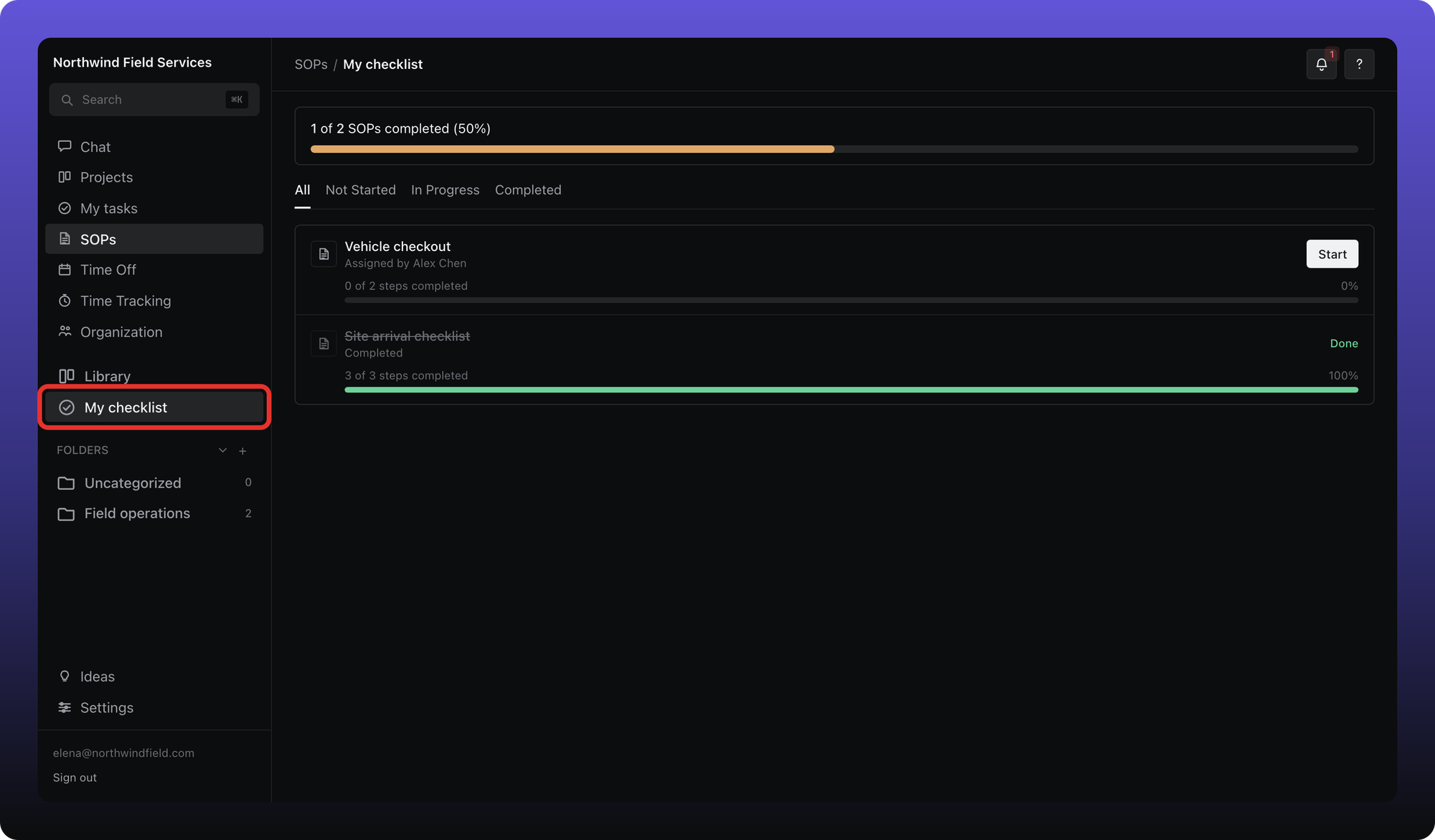
Click SOPs, then My checklist. Each row shows the SOP name, who assigned it, and a progress bar. Tabs filter by status: All, Not Started, In Progress, and Completed.
Work through a SOP
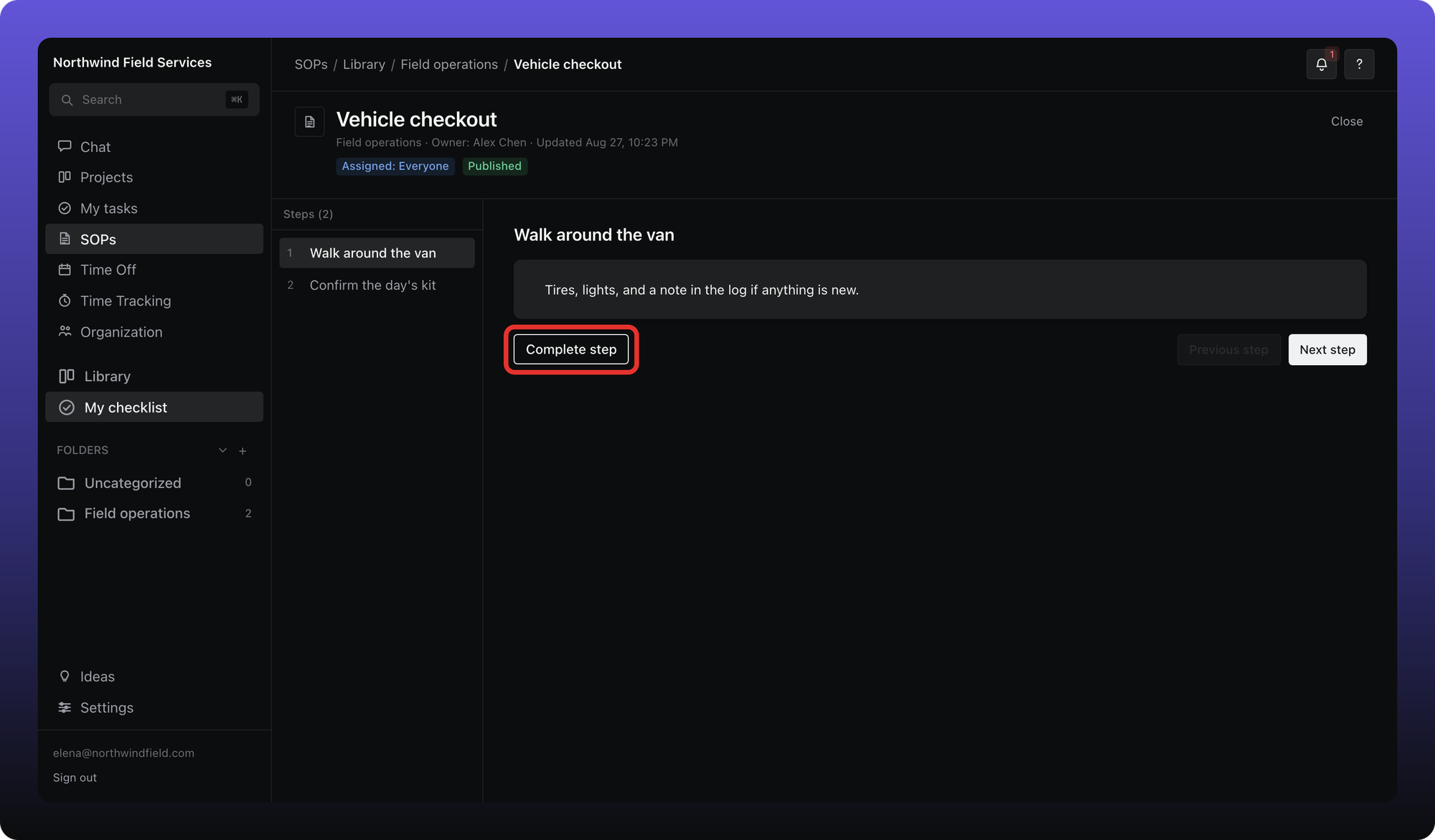
Click a SOP to open the reader. Steps list on the left; the selected step's instructions show on the right. Each step can include rich text and embedded video.
Click Complete step when you finish the current step. Use Previous step and Next step to move around. When every step is done, the assignment moves to Completed on your checklist.
Steps you cannot see
Some steps can be limited to specific org roles or members. If a step is restricted and you are not on the grant list, it is hidden from your view — even if you can open the SOP.
Was this helpful?
Still need help? Ask the team