Switch workspaces
Move between workspaces your email belongs to, and find invitations waiting for you.
Last updated About 1 month ago
For everyone who belongs to more than one workspace.
One email address can belong to several workspaces — an agency and a client, or two companies. Each keeps its own chat, projects, people, plan, and even your display name. Switching between them does not sign you out.
Switch
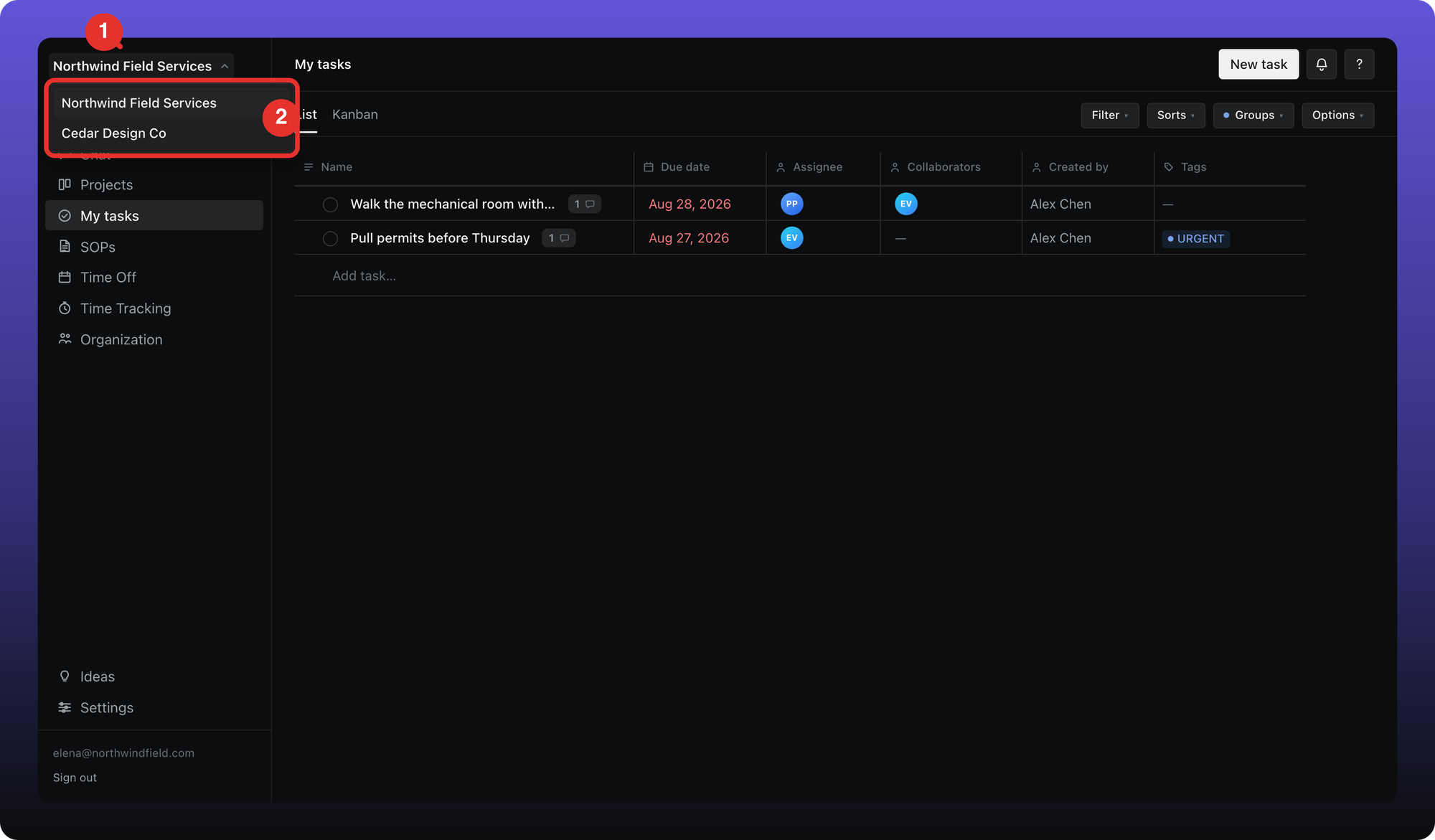
- Look at the top of the left sidebar. It shows the workspace you are in now. If there is a small arrow beside the name, click it.
- Pick the workspace you want. The one you are in is highlighted at the top of the list.
No arrow? Then this is your only workspace and there is nothing to switch to — the name is just a label.
Invitations show up here too
When someone invites you to another workspace while you are signed in, a small blue badge appears on the workspace name.
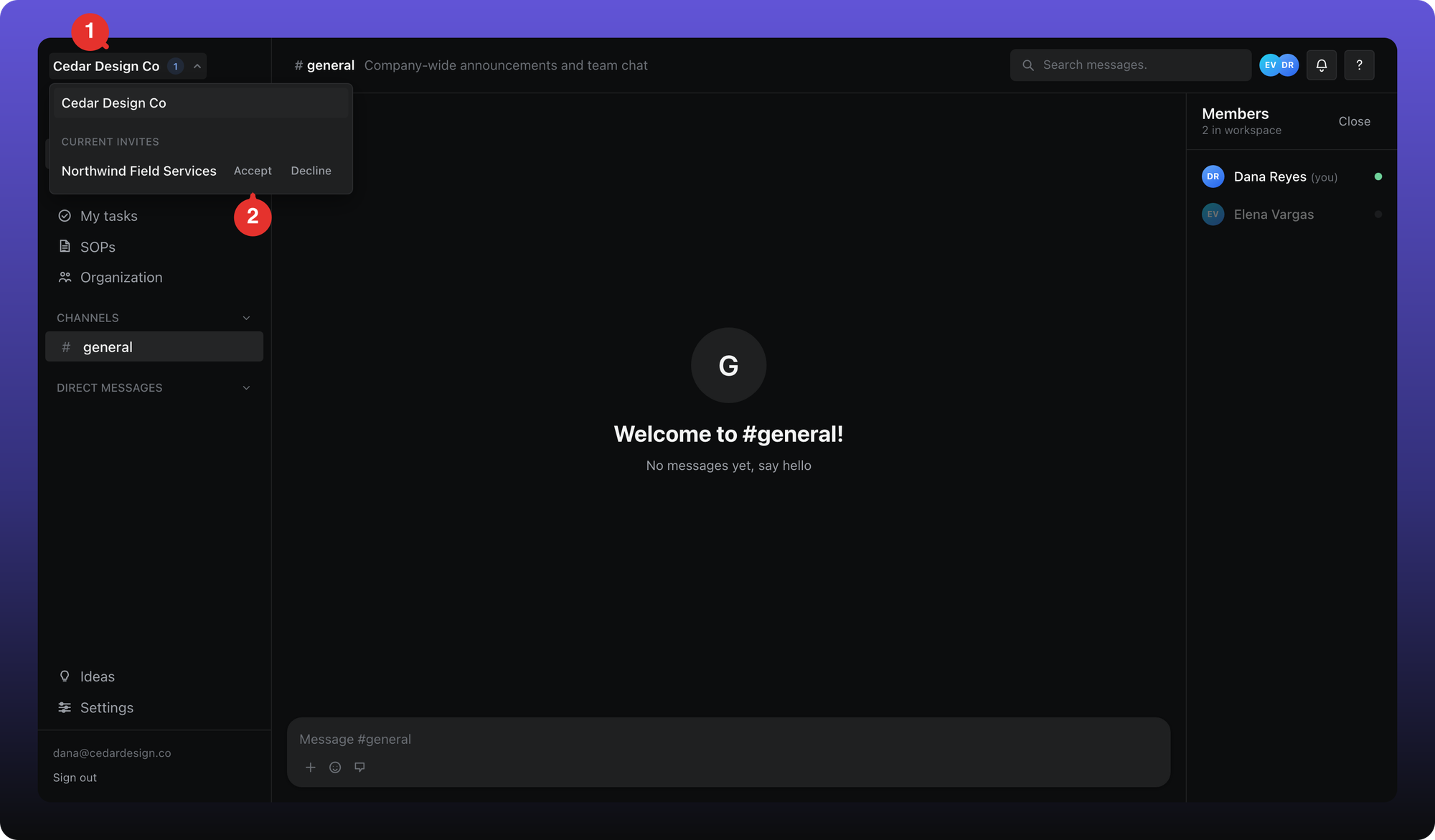
- The badge on the workspace name counts the invitations waiting. Click the name to open the menu.
- The invitation is listed under Current Invites. Click Accept — or Decline, just to its right, to turn it down.
Accepting opens one more screen so you can set the name your teammates will see in that workspace.

- Type the name your teammates will see. It is set per workspace, so you can be “Jane Doe” in one and “Jane” in another.
- Click Join workspace. Aiome opens the new workspace, and from then on it is in your switcher.
The other way to switch
Signing out and back in also works. Because your email belongs to more than one workspace, Aiome shows Choose a workspace before it sends your code.
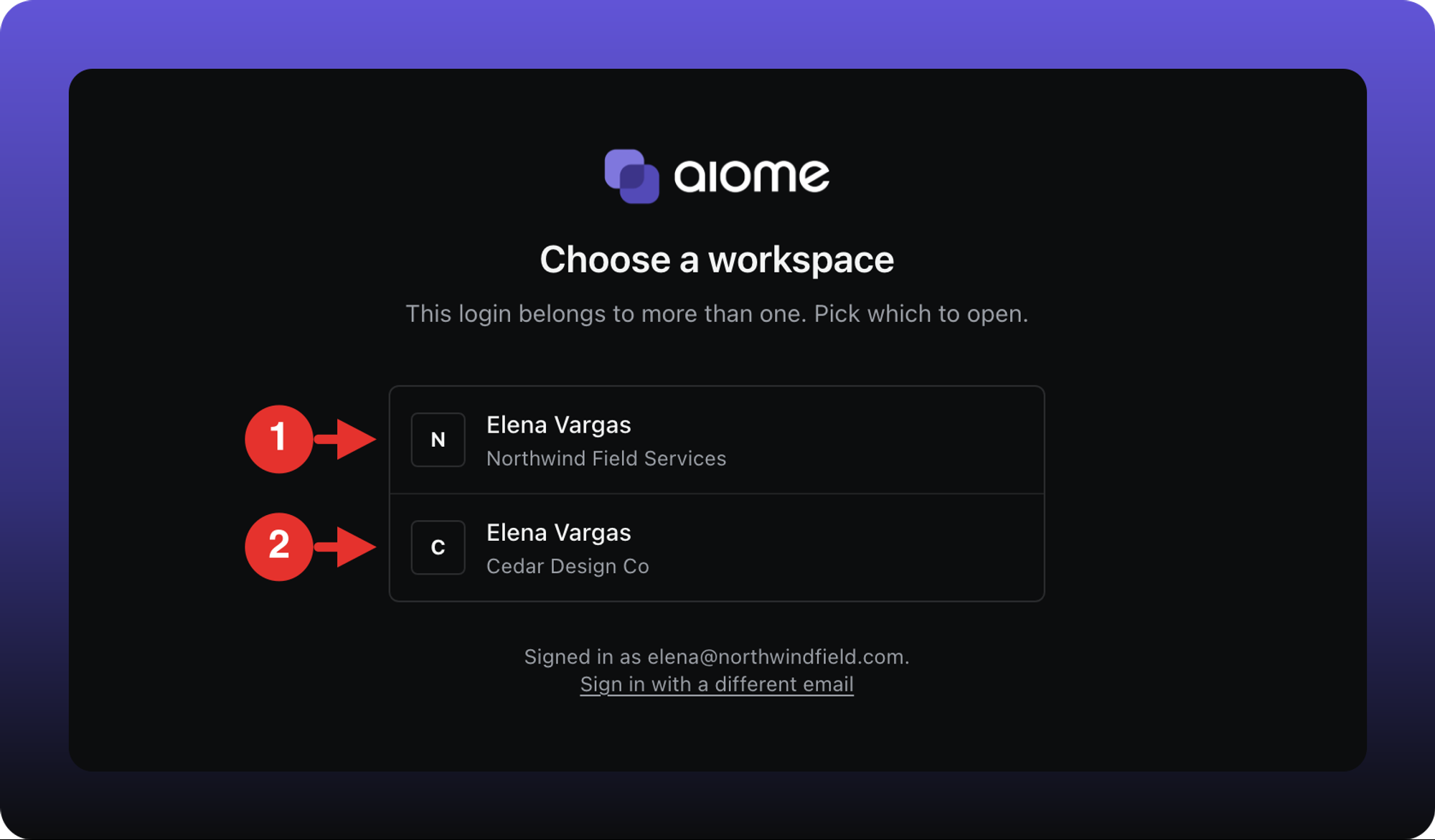
- The first workspace, shown with the display name you use there.
- The second. Click either one and the code is sent for it.
Was this helpful?
Still need help? Ask the team