Comments and assignment notifications
For everyone. Task comments, @mentions, and assignment alerts.
Last updated About 2 months ago
For everyone.
Each task has a Comments section at the bottom of the detail sheet. Use it for updates, questions, and @mentions.
@mentions in comments
Type @ and pick a teammate. Mentioned people get an in-app notification. Task comment @mentions do not send email — only the in-app bell.
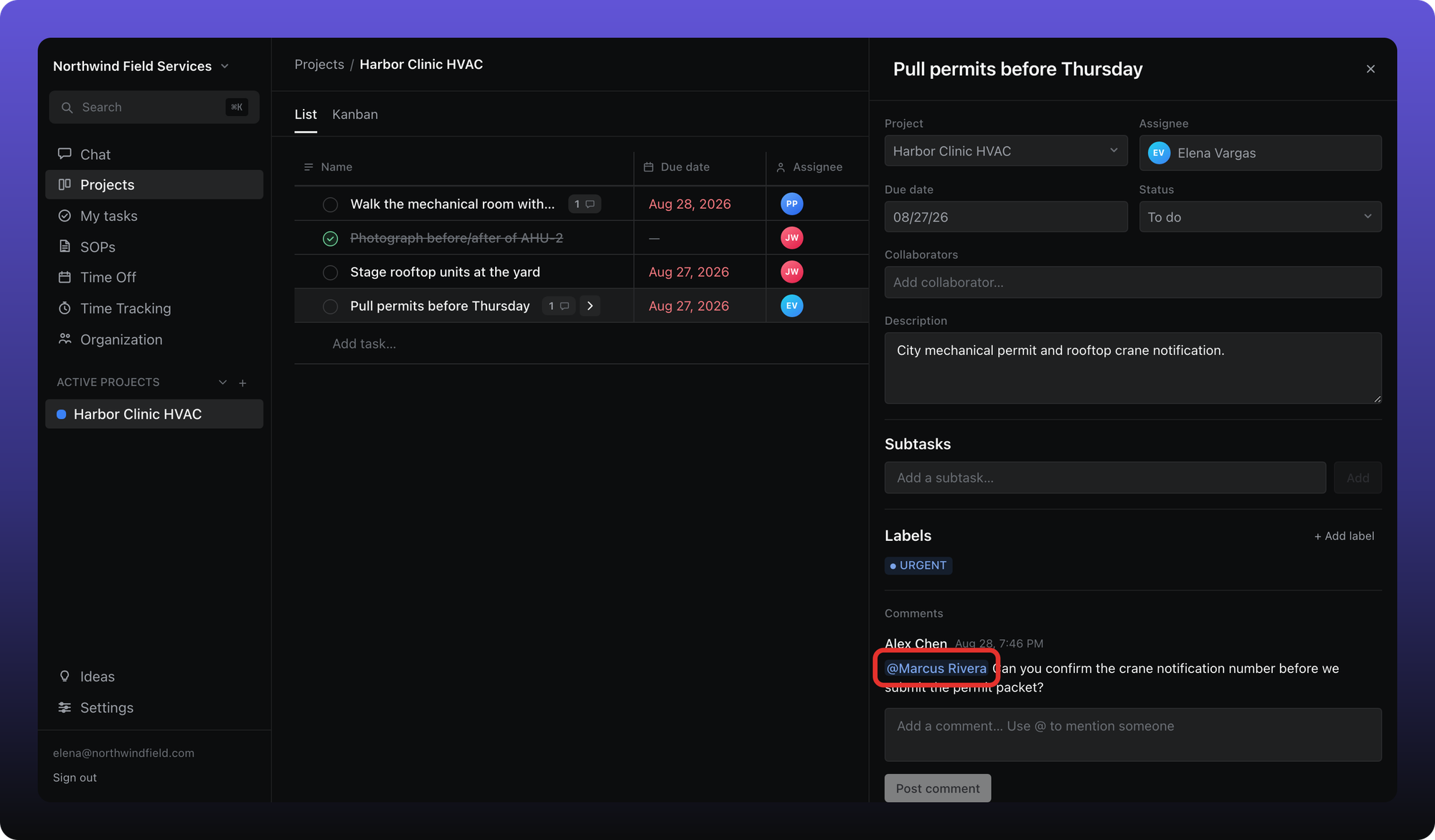
Reply to a comment with the reply control on the comment row. Replies stay threaded under the task.
When someone assigns you a task
Changing the Assignee on a task notifies the new assignee in two ways:
In-app. The notification appears under the bell in the top bar.
Email. Aiome sends a task assigned email to the new assignee’s sign-in address.
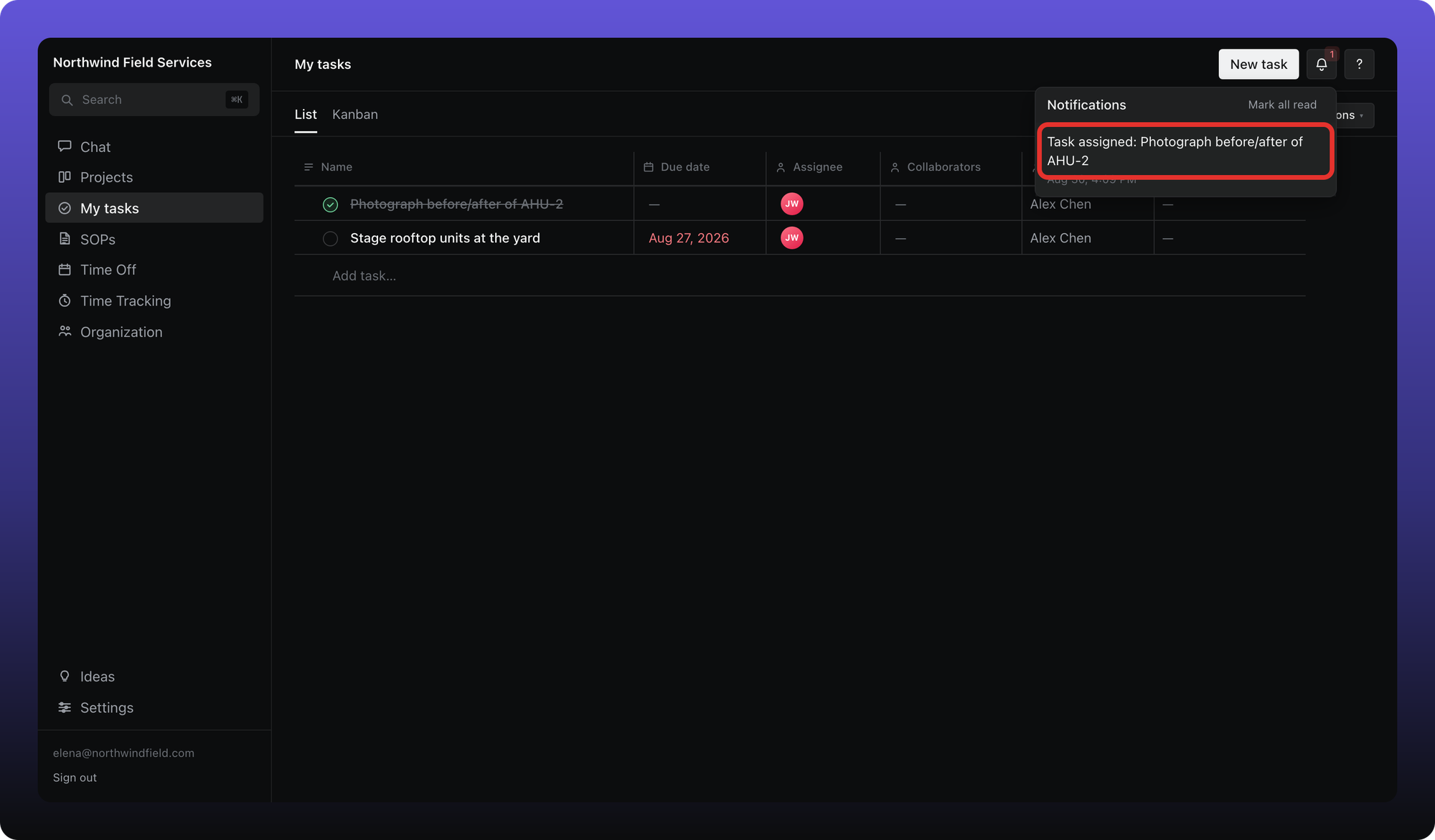
There are no per-notification toggles in Settings. Assignment and due-date emails follow Aiome’s system policy — see What notifications you get in Your account.
Was this helpful?
Still need help? Ask the team